
NextGIS ships updates continuously. Some arrive with their own announcement; others slip quietly into the platform between bigger releases. This roundup covers everything that landed between January and April 2026 – across NextGIS Web, NextGIS Mobile, NextGIS Data, our QGIS plugins, NextGIS GeoServices, and NextGIS Toolbox – so you have one place to catch up.
A new edition of NextGIS Web is available for self-hosted deployments. Community Edition is free to use and covers core functionality for teams getting started with their own Web GIS infrastructure.
Full article | GitHub repository
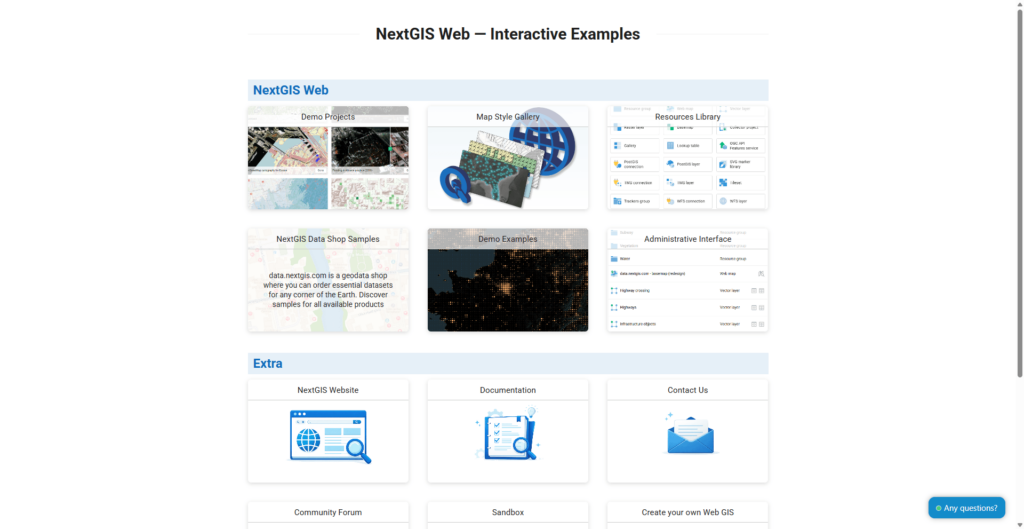
Galleries. You can now create a new type of resource called a Gallery – a clean, card-based landing page that gives visitors an immediate overview of what’s in your Web GIS and where to go. You choose which resources to feature (web maps, webpages, documentation, etc.), add preview images, and publish the result. No coding required.
Galleries are fully nestable: a card in one gallery can open another gallery, so you can build as many navigation levels as your project needs. The effect is closer to a curated portal than a resource list. NextGIS uses galleries on its demo.nextgis.com site – check it out!
YouTube Video | Example on the NextGIS site
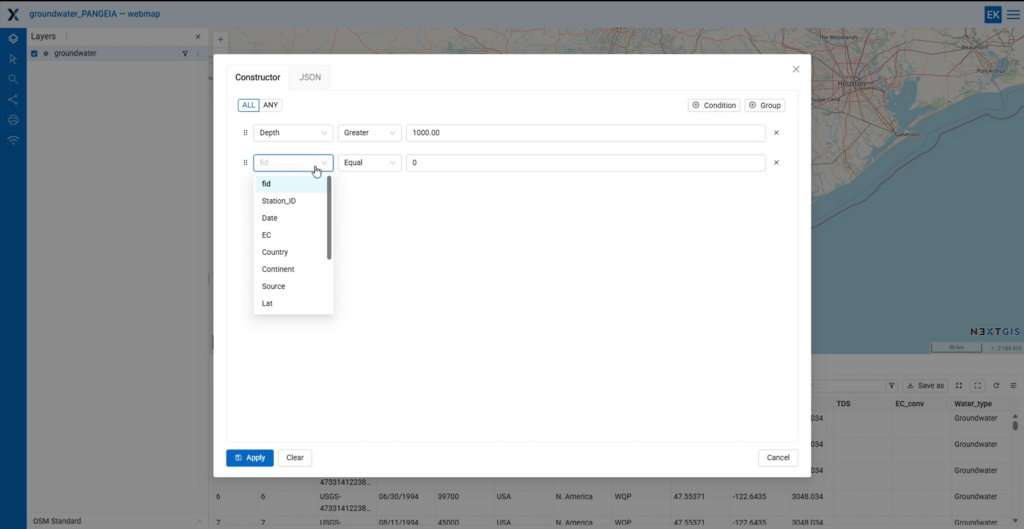
Map rendering filters. Filters in NextGIS Web previously worked on attribute tables – they narrowed what you saw in the data, but the map still displayed everything. Rendering filters change that: complex conditions can now be applied directly to the map, so only matching features are drawn.
For regular users, this enables focused, purpose-built map views without touching underlying data. For developers building on top of NextGIS Web, the same filters are available via the HTTP API – making dynamic filtering in external applications significantly easier to implement.
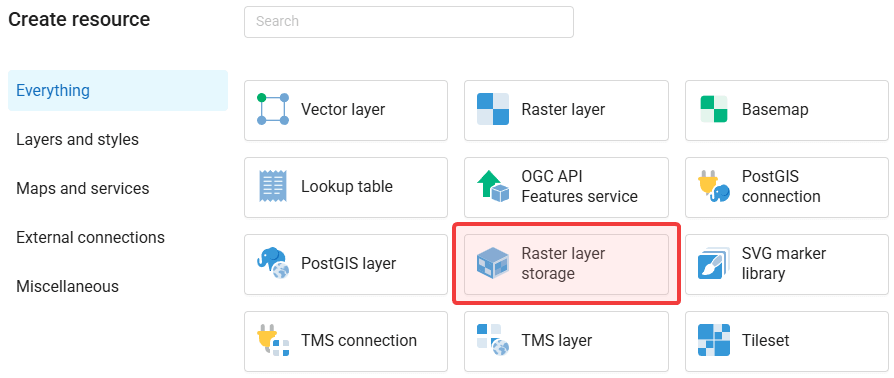
External S3-compatible storage. Large raster datasets are expensive to store – and often already live somewhere: an S3 bucket, a self-hosted object store, or a cloud provider. NextGIS Web can now connect to external S3-compatible storage directly. Create raster datasets in the bucket, link to existing ones, and use them inside NextGIS Web exactly as you would a locally stored raster: applying QGIS styles, adding them to web maps, publishing via standard protocols – with no duplication of storage.
PAM raster metadata. NextGIS Web now accepts rasters uploaded with Persistent Auxiliary Metadata (PAM). When PAM contains category descriptions for raster grid values – common in land cover datasets – those descriptions appear in the identification panel when you click a feature on the map. If you work with classified rasters, this removes a consistent source of friction.
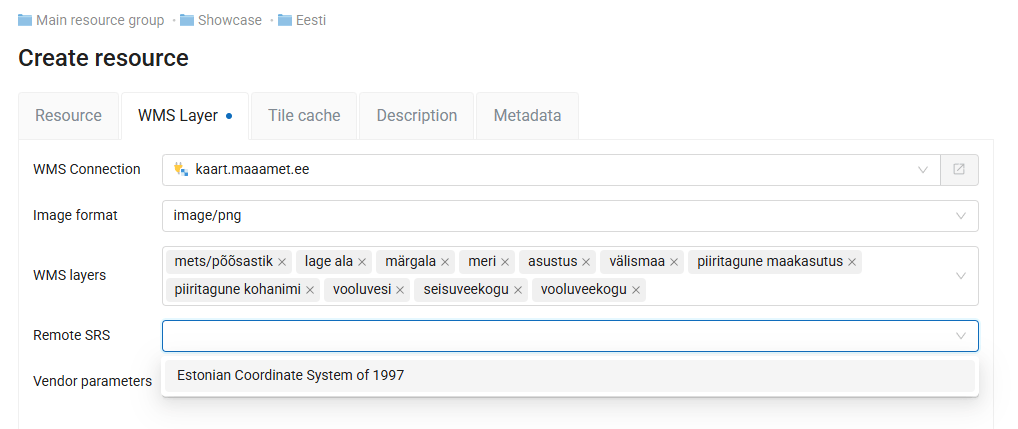
WMS connections in any coordinate system. Connecting an external WMS service previously required it to be published in EPSG:3857 – a limitation that blocked many government and institutional services, which commonly use national or regional coordinate systems. You can now connect to WMS services in any EPSG-supported coordinate system. The layer creation interface includes an SRS selector: if the system is already in your Web GIS SRS list, you can pick it during setup.
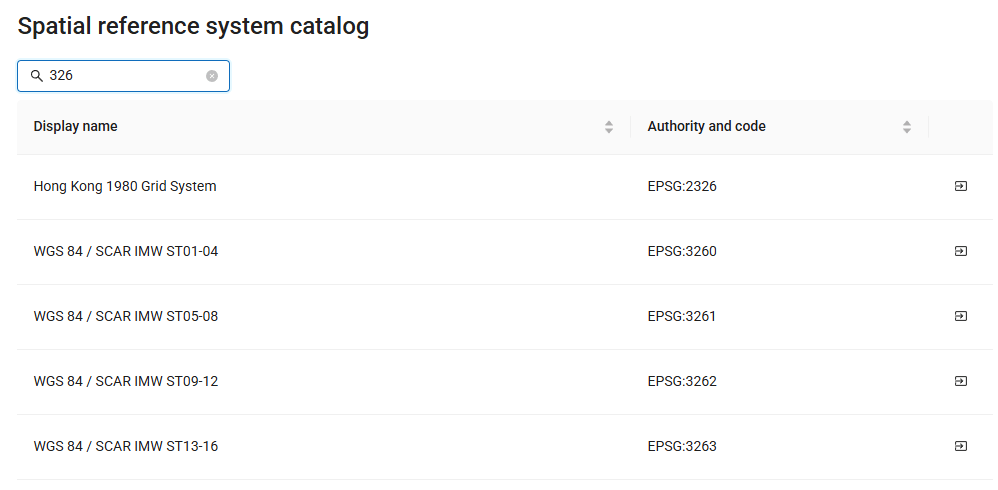
Built-in coordinate system catalog. Adding custom spatial reference systems used to mean defining them manually with exact PROJ parameters. Each NextGIS Web instance now includes a built-in catalog drawn from the PROJ database. Find the system you need, import it, and move on.
Feature versioning on by default. Version tracking for vector layers – which records who changed what and when, and allows rollback – is now enabled by default. Previously it required a manual step to activate. If you’re working with data that matters, this is now part of your baseline setup without any action required.
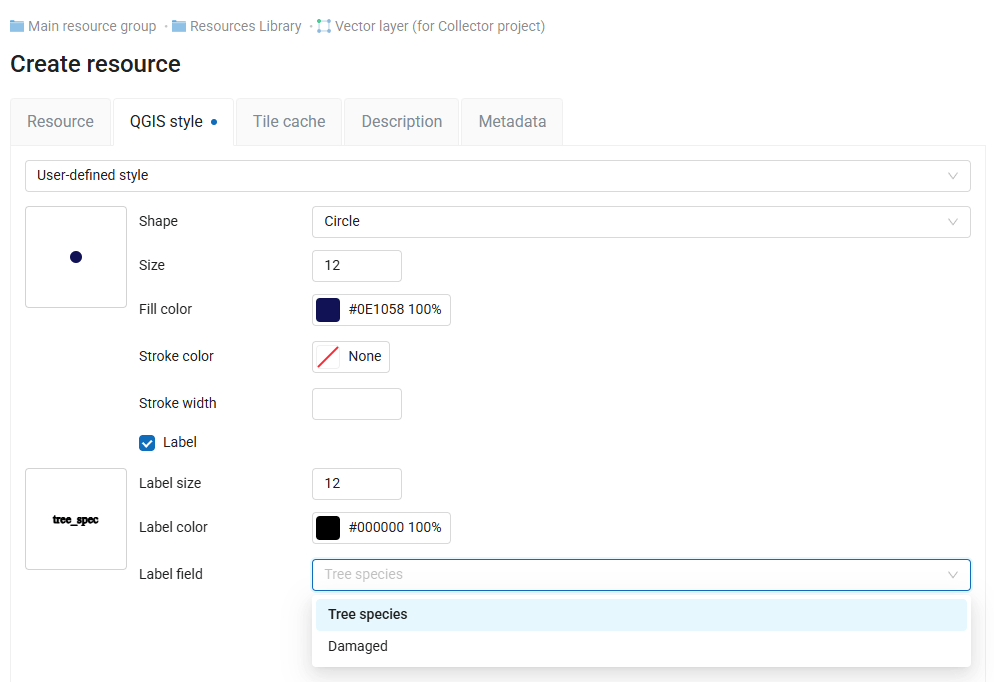
Browser-side labeling. QGIS styles remain the primary approach to symbology in NextGIS Web. The built-in style editor now also supports labeling – specify the label field, size, and color without leaving the browser. Previously, adding labels to a browser-styled layer required a round-trip through QGIS. Now you can designate a label field and adjust its appearance directly in the Web GIS. the field, an external source, or other workflows that would be more efficient without QGIS.
User-controlled identification layers. The identify tool previously showed results for every visible layer by default. Users can now choose which layers are identifiable, hiding layers they don’t need from results while keeping them visible on the map. This was previously an administrator-only setting – moving it to the user level makes shared and client-facing maps noticeably easier to work with.
No upload size limit. There is no longer a cap on the size of files you can upload to NextGIS Web. The limit now is your available storage, not an arbitrary ceiling in the interface.
GPX export. Vector layers can now be exported to GPX format directly from NextGIS Web. Useful when data needs to go to navigation devices or mobile applications that expect GPX input.
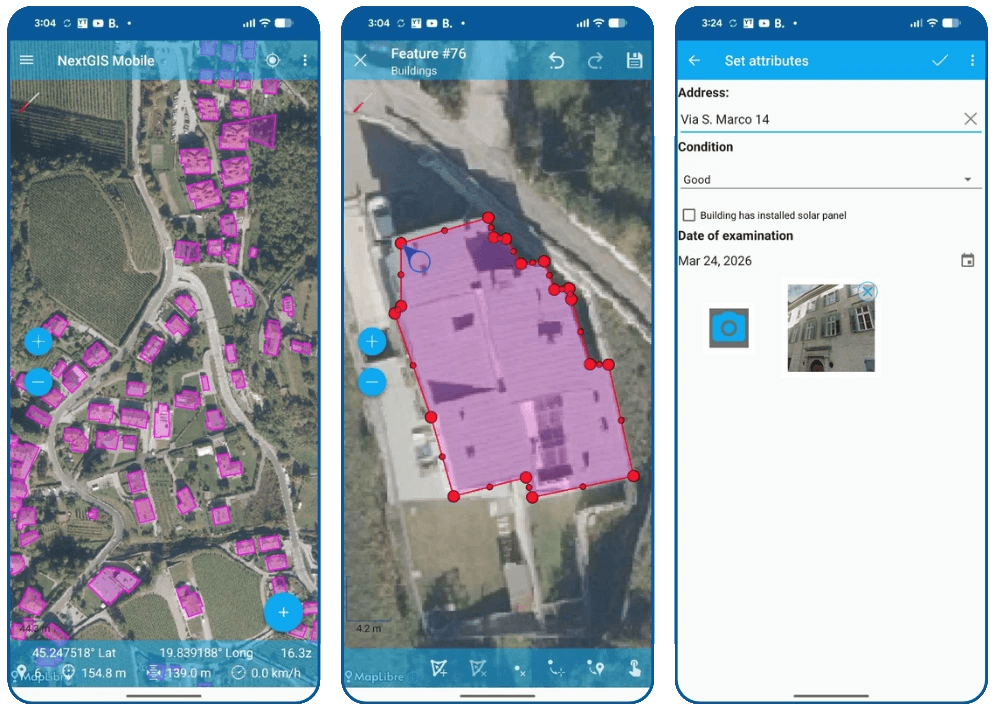
The main event in this cycle is a full replacement of the map rendering engine. The previous engine had accumulated limitations affecting performance and stability – particularly on large layers and complex geometries. The new engine delivers smoother pan and zoom, faster rendering on large datasets, and a more stable base for future development.
Alongside the new engine, this update brings a loading indicator for large layers, zoom-to-feature that preserves the current zoom level, smarter synchronization logic, and a simplified raster layer interface.
Bug fixes address feature identification and editing UI, label display, scale visibility rules for vector layers, geometry changes after synchronization, and several crashes affecting everyday workflows.
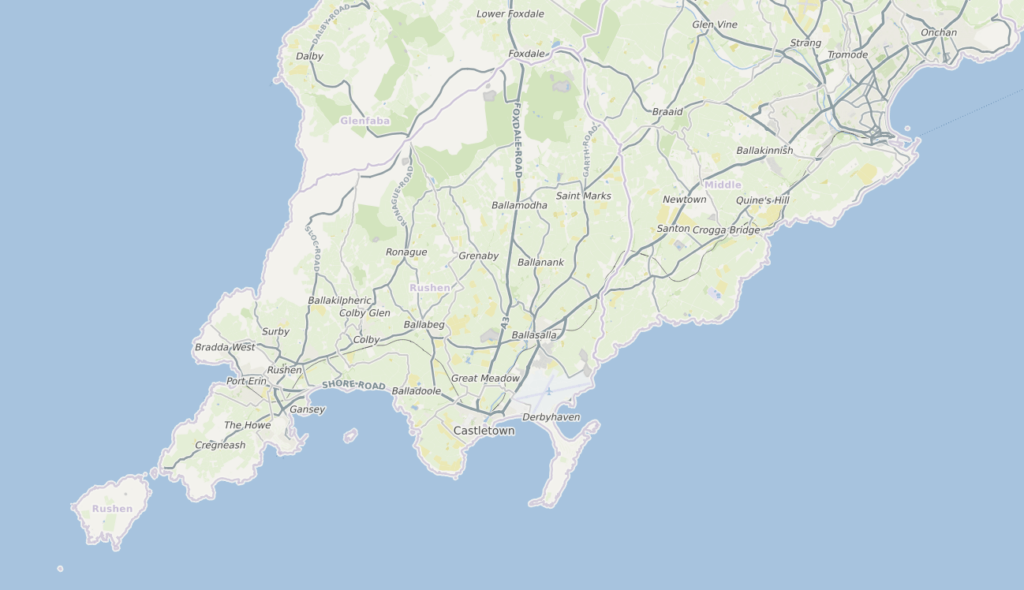
Pre-rendered tiles. You can now order a ZIP archive of pre-rendered raster tiles for any territory of interest, specifying the maximum zoom level. The tiles are compatible with Leaflet, OpenLayers, MapLibre, and similar libraries, and work well in mobile and embedded applications where a live tile service isn’t practical.
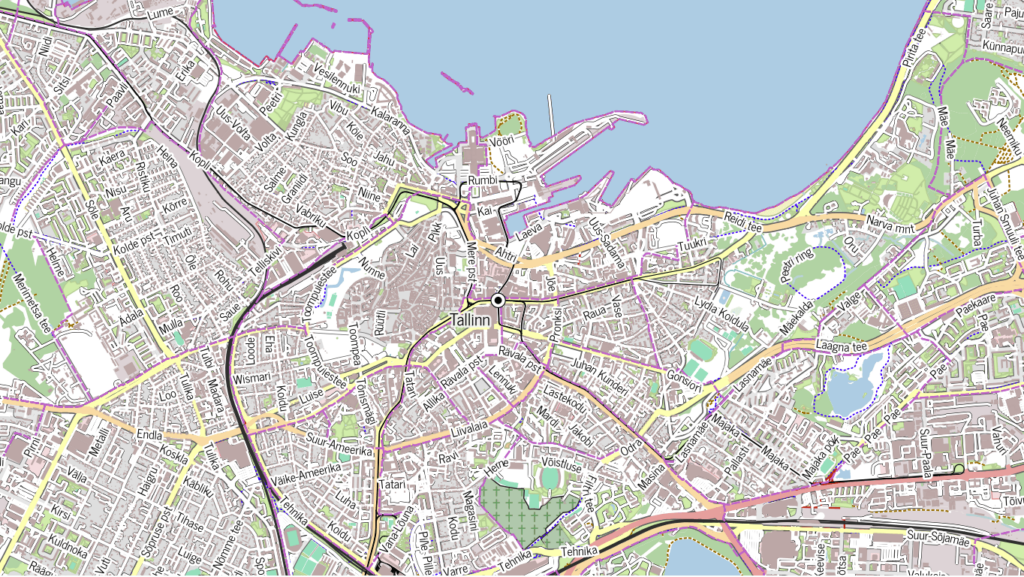
Printable vector PDF maps. A new product lets you order a print-ready map of any area directly from NextGIS Data. Select the territory on the map or from the catalog, choose a page format, and receive a vector PDF – scalable without quality loss, suitable for high-resolution printing. An interactive preview lets you check the layout and visible features before purchasing.
Full article | Order printable maps
At QGIS Open Day in April, we demonstrated the latest updates to QuickMapServices, OSMInfo, and QTiles. Watch the recording for a live walkthrough of all three.
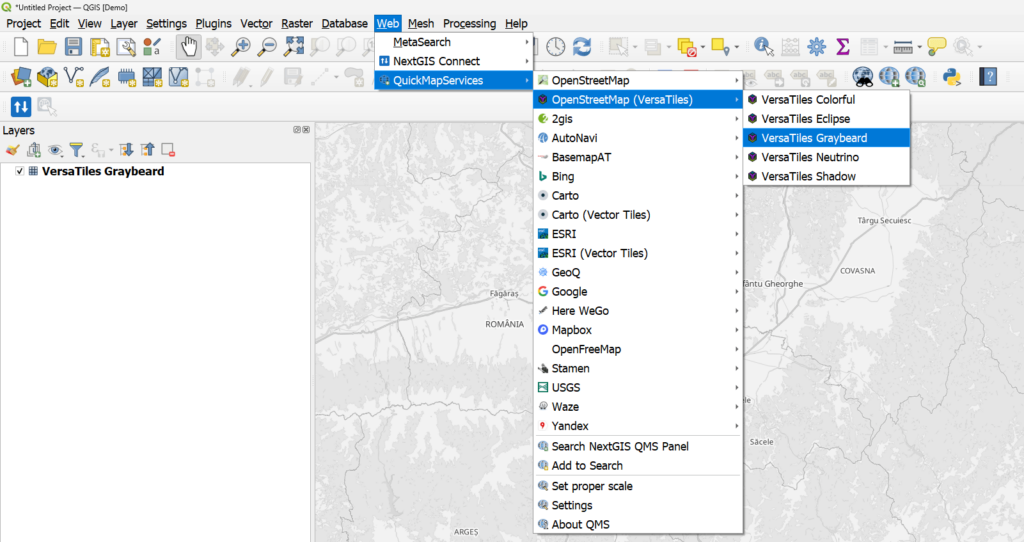
QuickMapServices, the world’s most popular plugin. One is the searchable catalog at qms.nextgis.com, accessible directly from the panel in QGIS. The second is the contributor pack: a curated set of widely used services maintained by the community, available under Web in the QGIS top menu.
The contributor pack is now bundled with the plugin by default, so the most popular services are ready to use immediately after installation without any extra steps.
Even bigger news: vector tile basemaps are now part of the contributor pack. Unlike raster tiles, vector tiles are fully customizable – open the layer’s Symbology settings in QGIS and adjust colors, labels, and feature visibility to match your project. This is the first time vector tile services have been available directly through QuickMapServices.
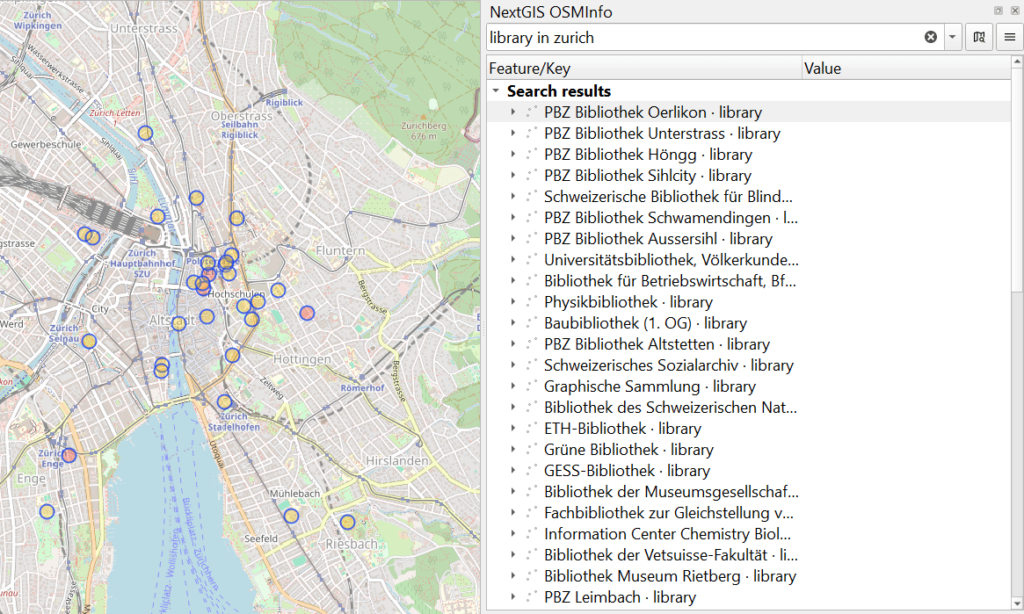
OSMInfo turns the QGIS map canvas into an interactive window into the OpenStreetMap database. Click anywhere and you instantly see what OSM knows about that location – feature names, tags, geometry, and enclosing administrative boundaries from the building level up to country and time zone.
Version 2 is a substantial expansion of that concept. You can now run Overpass Turbo-style queries directly from OSMInfo – both human-readable expressions (“cafe or restaurant around Kalemegdan”) and full Overpass QL syntax with extensions like {{bbox}} and {{geocodeArea:name}}. Complex multipart geometries are now rendered correctly, multi-feature selection works with Ctrl and Shift, and the plugin supports custom Overpass server endpoints including self-hosted infrastructure. Five new interface translations were added as well.
QTiles – the QGIS plugin for generating tile caches from your map content – received significant updates in this cycle. The headline addition is PMTiles generation support: a single-file tile archive format that can be served directly from static hosting without a tile server. Also new: automatic zoom level determination, advanced extent configuration tools, and Qt6/QGIS 4 support, which keeps the plugin compatible with the current QGIS development track.
NextGIS GeoServices is the on-premise basemap server for publishing raster and vector tile maps from OpenStreetMap data, NextGIS Web resources, or third-party tile proxies.
This update adds Tile Set as a new service type, WebP tile support for better compression and delivery, and a refactored permission management system that brings consistency across service types.
Documentation | Service Information
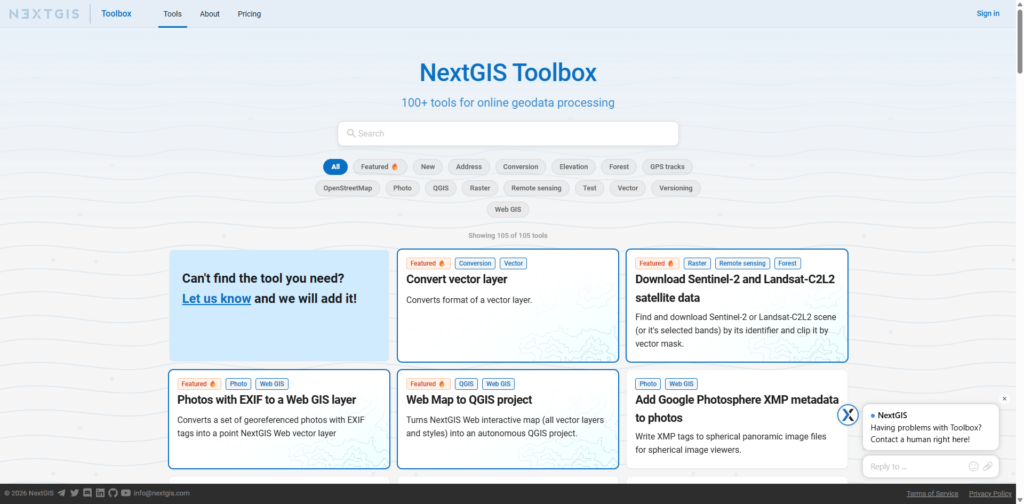
NextGIS Toolbox is a growing collection of online geoprocessing tools. Each tool runs in the cloud – accessible from a browser form or via API – without requiring local software or computing resources. Toolbox is available as a cloud service for all users and can also be deployed on-premise.
New tools added in this period:
All NextGIS Web features covered in this article are available on the free cloud tier. Create your Web GIS to explore Galleries, rendering filters, and the rest of the updates firsthand.
Questions about any of these changes? The community forum is the fastest way to get answers from our team and other users.The next platform roundup will cover updates through summer 2026. Follow us on LinkedIn to catch individual feature articles as they publish.


