
We are pleased to present a major update to the NextGIS OSMInfo module, a tool for quickly retrieving information about OpenStreetMap features directly inside QGIS.
OSMInfo turns the QGIS map canvas into an interactive window into the OpenStreetMap database. Click anywhere on the map, and you instantly see what is located there according to OpenStreetMap data: the feature name, tags, and geometry.
In addition, OSMInfo identifies objects at multiple levels for the clicked location, from an individual building to administrative boundaries such as district, city, region, country, and even the corresponding time zone.
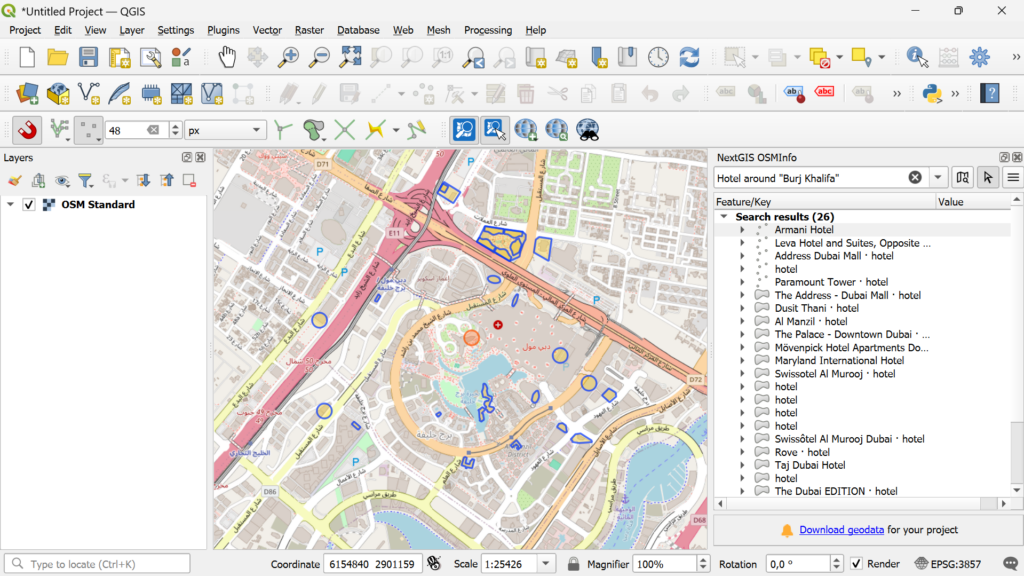
Each detected feature can also be opened directly in OpenStreetMap via the context menu, allowing you to review its history, contributors, and make edits.
Following this major update, OSMInfo has evolved from a simple OpenStreetMap inspection tool into a full-featured analytical module. Its capabilities are now comparable to Overpass Turbo Wizard, while being fully adapted to QGIS workflows and familiar geospatial data tools.
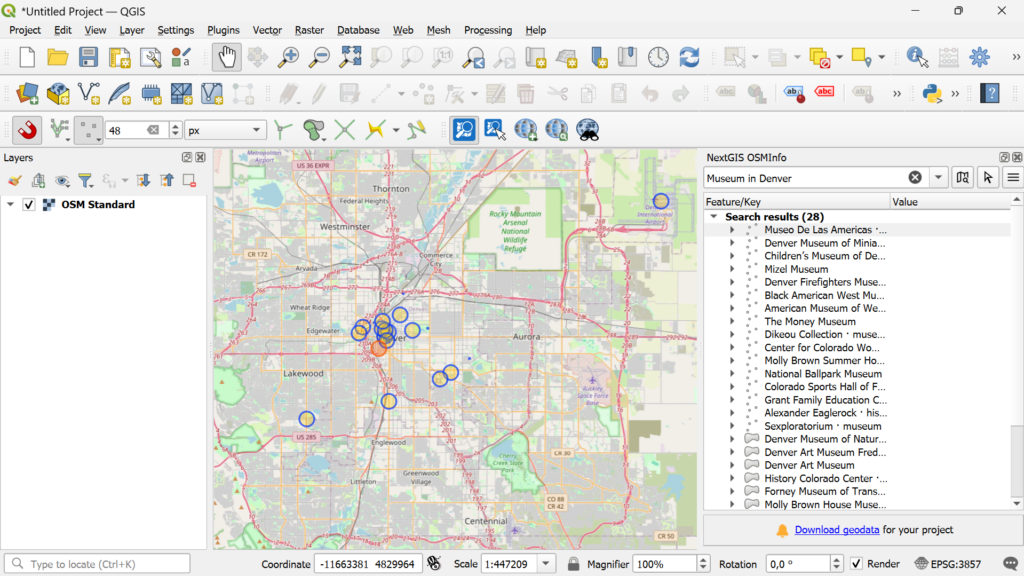
Previously, users were limited to a simple workflow: click, inspect, add. Now, OSMInfo allows searching for objects by coordinates and tag values.
You can also run ready-made Overpass API queries using Overpass QL syntax with Overpass Turbo extensions such as {{bbox}}, {{center}}, {{geocodeArea:name}}, and others.
Just like the Wizard assistant in Overpass Turbo, OSMInfo now supports convenient human-readable search expressions. At the same time, full support for the Overpass QL language enables highly detailed and advanced queries.
This combination opens virtually unlimited possibilities for selecting and analyzing OSM data, from locating drinking water sources to querying arbitrary objects, tags, properties, and spatial conditions.
cafe or restaurant around Kalemegdan
library in Zurich
tower in "New York"
amenity=drinking_water and type:node
(highway=primary or highway=secondary) and type:way
tourism=hotel
The ability to switch between servers is especially useful when default servers are overloaded.
You can choose alternative global servers (such as Private.coffee) or region-specific servers (for example, Switzerland or Ethiopia), which often provide better speed and reliability.
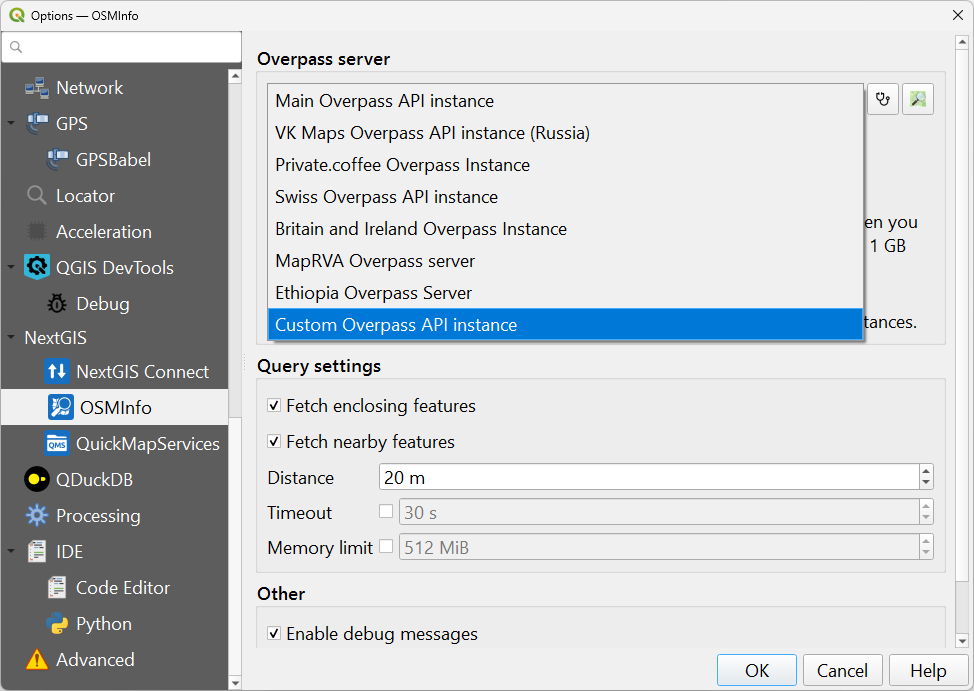
OSMInfo now supports not only standard Overpass API servers, but also any third-party or self-hosted endpoints. You can specify the URL of an external server or your own private infrastructure for use in restricted environments.
This is one of the key advantages of the new OSMInfo version compared with similar tools such as QuickOSM.
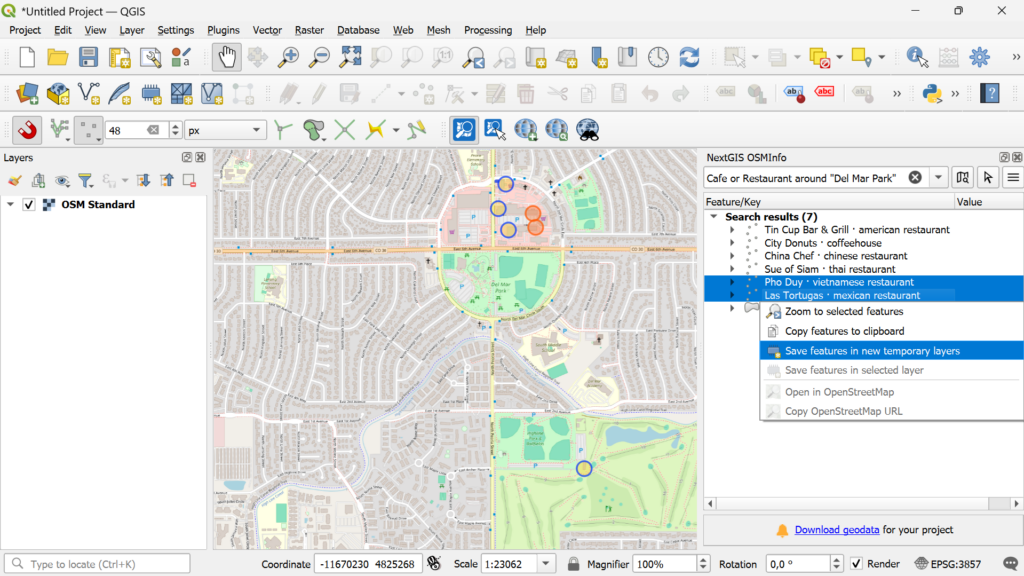
The new version introduces multi-feature selection. Simply hold Ctrl or Shift while clicking.
Using the context menu, you can then copy data or save selected features directly into a layer.
We completely redesigned the geometry parser using the osmtogeojson library. As a result, the module now correctly reconstructs even complex multipart geometries.
Users can decide how detected objects are visualized on the map.
For example, small features can be displayed as points, while larger ones remain polygons. Showing small objects as points makes results visible across multiple zoom levels without needing to zoom in on every feature.
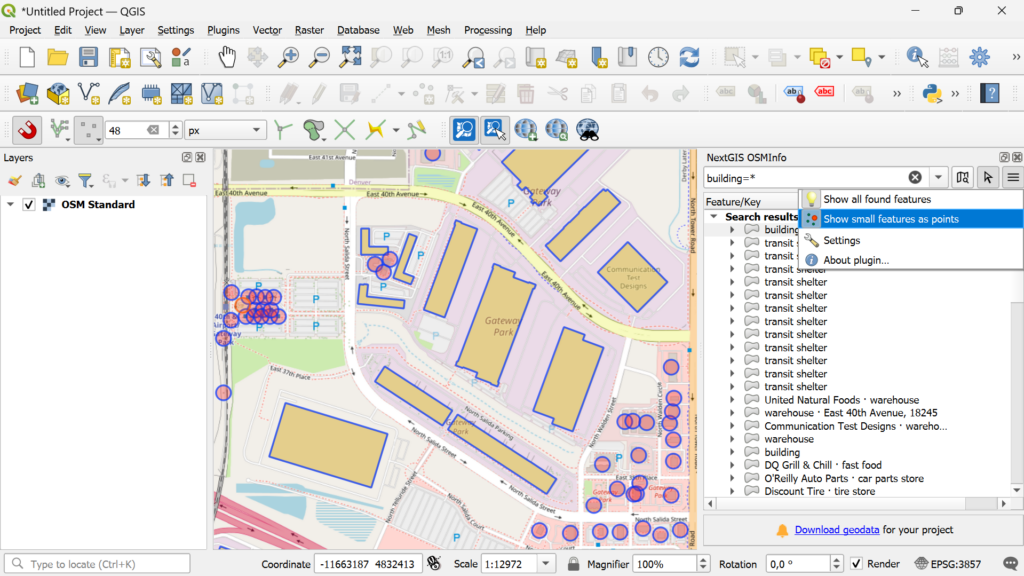
The module interface, icon, and map click tool have all been refreshed.
Tags containing links (such as Wikidata references) are now clickable.
Translations have been added for:
We also implemented many smaller but important enhancements that make everyday use smoother:
With OSMInfo, you can explore, analyze, and use OpenStreetMap data directly inside QGIS, without unnecessary steps or external tools.
The module is available in the QGIS plugin repository.
OSMInfo gives you data.
NextGIS Web gives your whole team – desktop, browser, and mobile – a shared place to store, edit, and publish the data that sits on top of it. Built by the same people who created and maintain OSMInfo.


