
GIS teams regularly run into a simple but frustrating gap: a colleague needs a map. Not a web map, not a dataset – a map they can print, put in a report, or hand to a field crew. The options have typically been poor: screenshots that blur at A3, export workflows that take more time than the request warrants, or third-party services with generic cartography and no detail control.
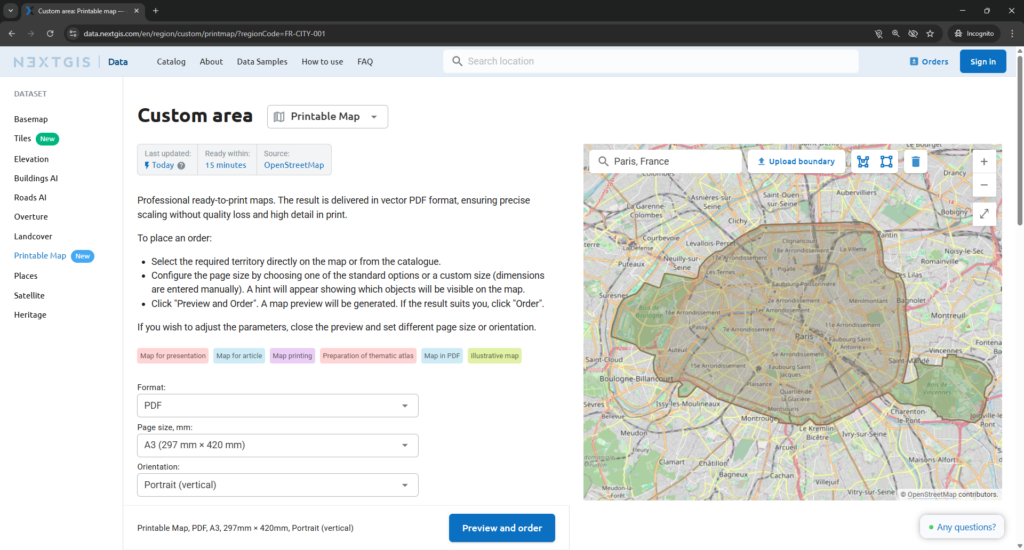
Printable Map is a new product on NextGIS Data that closes this gap. It lets anyone – with or without GIS skills – order a professional, print-ready vector PDF map of any area in the world, directly in the browser, in a few minutes.
Every order produces two files.
A vector PDF map scaled to the page size you selected. Because the output is vector rather than raster, the map stays sharp at any print size – whether A4 for a handout, A0 for a wall display, or a custom format for a specific installation. There is no pixelation, no blurriness, no loss of linework detail at larger formats.
A separate legend PDF describing every layer and symbol shown on the map. The legend travels with the map, so the output is self-explanatory – in a report, on a wall, or handed to someone unfamiliar with the source data.
Sample outputs for A0 and A4 are available at:
data.nextgis.com/en/data-samples/#formats-printmap.
Printable Map is built on OpenStreetMap – one of the most comprehensive and actively maintained geographic databases in the world. The data covers roads, buildings, water features, points of interest, administrative boundaries, and more, updated continuously by a global community of contributors. For most urban and regional contexts, the coverage is detailed enough for field operations, client presentations, and official reports.
Note: Legend elements (e.g. street names, house numbering, etc.) reflect the features visible on the map. The scale hint in the interface makes this clear before you commit to a preview.
Printable Map is designed for anyone who needs a clean, current, professionally cartographed map but does not work with GIS software day-to-day:
For GIS teams, it also provides a fast output path. Instead of setting up a print layout in QGIS for a one-off request, you can direct a colleague to the service and get the same quality result without the setup time.
Printable Map is available now at data.nextgis.com. For questions or specific requirements, contact data@nextgis.com or use the chat on the site.
Does Printable Map require GIS software?
No. The entire workflow – selecting an area, choosing a page size, previewing the map, and placing an order – runs in the browser. No QGIS or any other GIS application is required.
What file formats are delivered?
Two vector PDF files: the map in the selected page size and orientation, and a separate legend PDF describing every layer and symbol.
Why vector PDF rather than a raster image?
Vector output holds full sharpness at any print size. A raster export at A4 resolution will blur or pixelate when printed at A0. Vector does not – the detail is preserved regardless of how large the output is printed.
What map data does it use?
Printable Map is built on OpenStreetMap, which covers roads, buildings, water features, points of interest, administrative boundaries, and more. The data is updated continuously by a global contributor community.
Can I select a custom area?
Yes. You can either browse the catalogue by city, region, or country, or draw a custom boundary directly on the map.
Will street names and house numbers be visible?
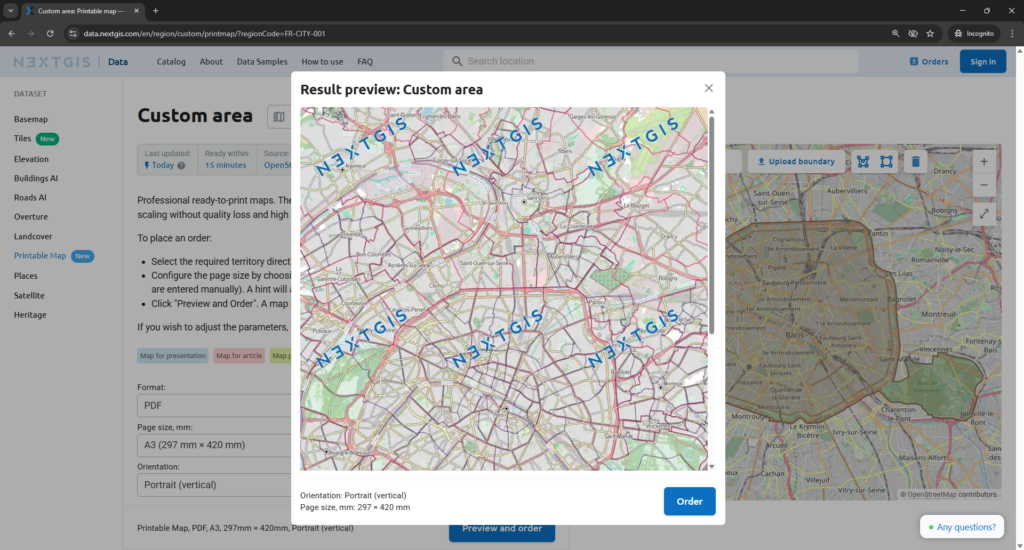
Street names and house numbering appear when the selected area is small enough relative to the chosen page size. The interface shows a scale hint before you generate a preview, so you can adjust before placing an order.
Can I choose a custom page size?
Yes. In addition to standard formats, custom dimensions can be entered manually.
Do I pay before seeing the result?
No. A preview is generated first. Payment is required only once you confirm the preview is correct. If the result is not what you need, you can adjust the parameters and generate a new preview before committing.
Where can I see sample outputs?
Sample PDFs for A0 and A4 are available at:
data.nextgis.com/en/data-samples/#formats-printmap
Who do I contact for specific requirements?
Reach out at data@nextgis.com or via the chat on data.nextgis.com.


