
Accurate data collection starts with a clear, convenient input form. NextGIS has long supported custom forms for mobile data collection. Now, you can use these forms directly in NextGIS Web maps, giving your team a consistent data entry interface in the field and in the browser.
Custom forms let you organize how users enter and edit feature attributes. Your team can use an interface tailored to the task, with text fields, dropdown lists, checkboxes, tabs, explanatory labels, and other widgets.
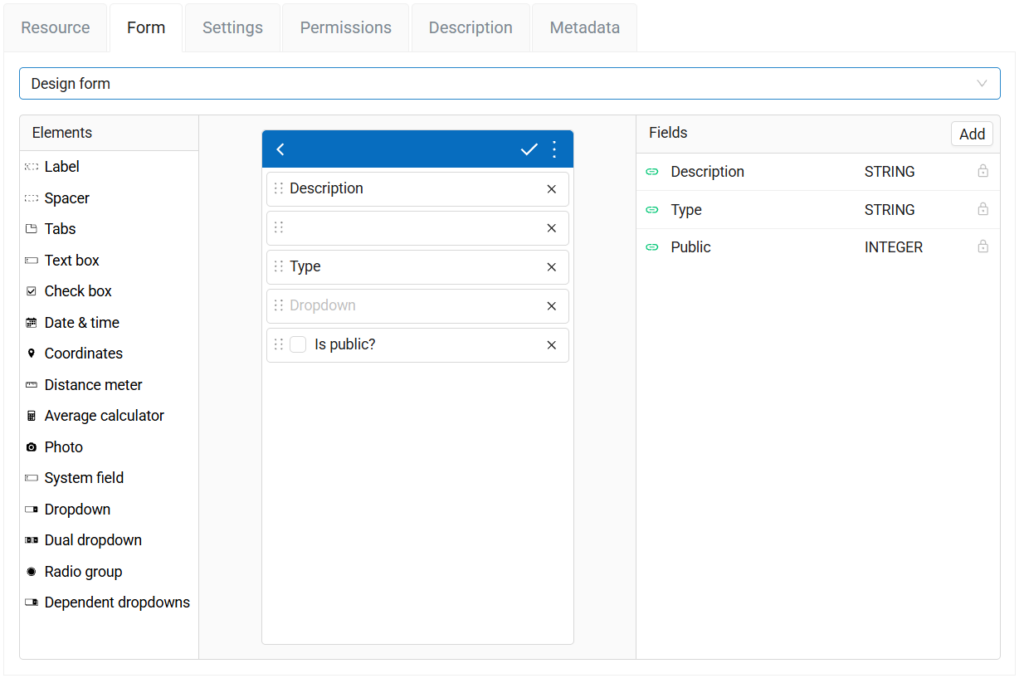
Create a form in NextGIS Web, link its input widgets to the corresponding vector layer fields, and use it in NextGIS mobile applications. With the new “Use form in web feature editors” setting, the same form becomes available when creating or editing features on a web map.
The web feature editor will display your custom form for entering attributes.
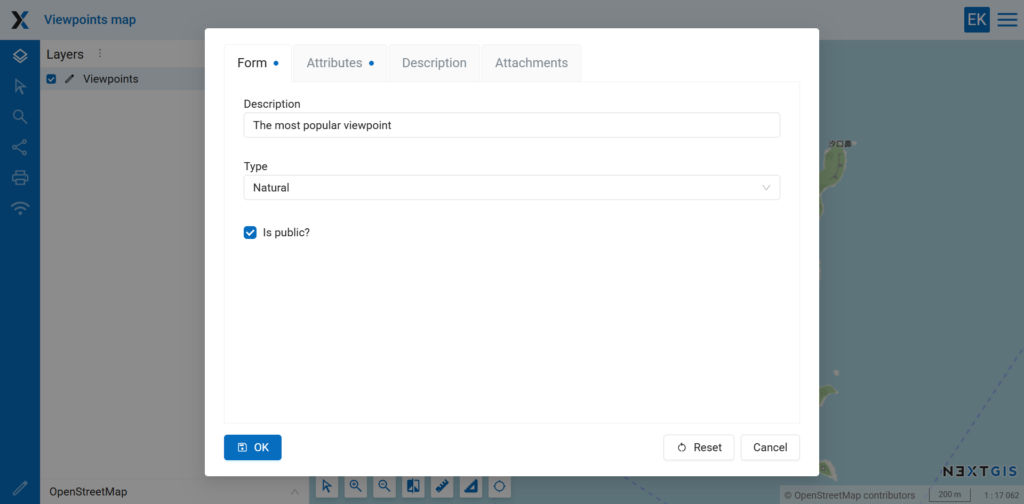
In the video above, we demonstrate this workflow using a layer for recording viewpoints. A few text fields, dropdown lists, and checkboxes provide a simple interface for describing each location.
Real-world forms can be very complex, so the form builder also allows you to organize widgets into tabs.
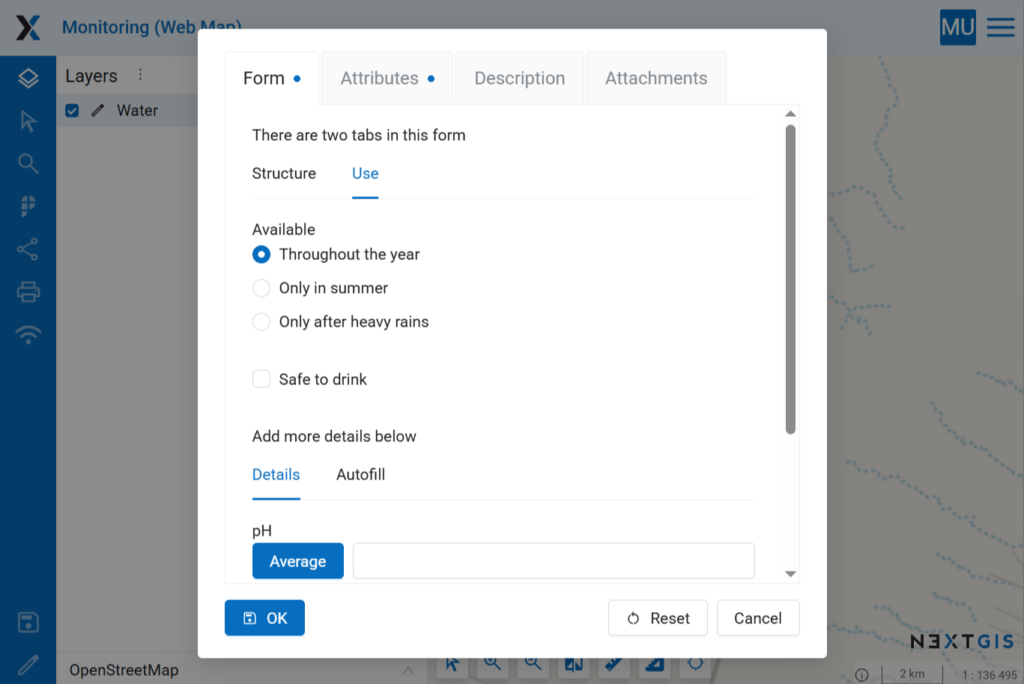
Field workers collecting data on mobile devices and colleagues editing it in a browser can now use the same form. This helps keep data entry consistent and makes it easier to provide clear instructions to everyone working with the layer.
If you already use custom forms for mobile data collection, enable the new setting to bring them to your web maps.


