
Users now can find resources by type, owner, and metadata key values. Metadata-based search makes internal classifications, project tags, statuses, and responsibilities more useful in everyday work. Search results can be saved and shared as URLs, including links from resource galleries or documentation pages. The feature helps large teams discover existing data faster and reduce manual browsing through the resource tree.
As spatial data infrastructures grow, finding the right resource becomes just as important as publishing it.
A Web GIS often starts with a few layers, maps, and services. But over time it becomes a shared working environment: vector layers, rasters, web maps, basemaps, styles, forms, processing results, archived datasets, and project-specific resources all live in one place. At this stage, simple search by name is no longer enough.
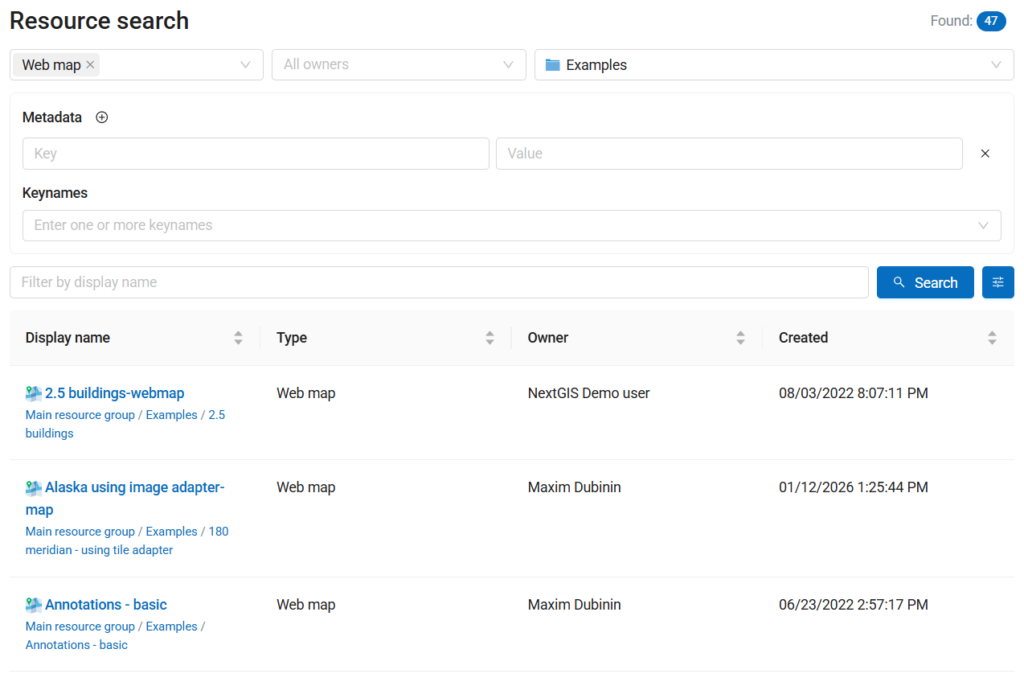
NextGIS Web now includes advanced search, making it easier to explore resources using structured filters: resource types, owners, metadata key values, and parent directory.

This is a small interface improvement with a big practical effect: NextGIS Web becomes more useful not only as a platform for publishing and editing spatial data, but also as a catalog for managing it.
In many organizations, spatial data is distributed across projects, departments, and teams. A dataset may be technically available, but still hard to find if users do not know its exact name or location in the resource tree.
Advanced search helps answer practical questions such as:
Instead of browsing folders manually, users can narrow the search using meaningful properties of the resources themselves.
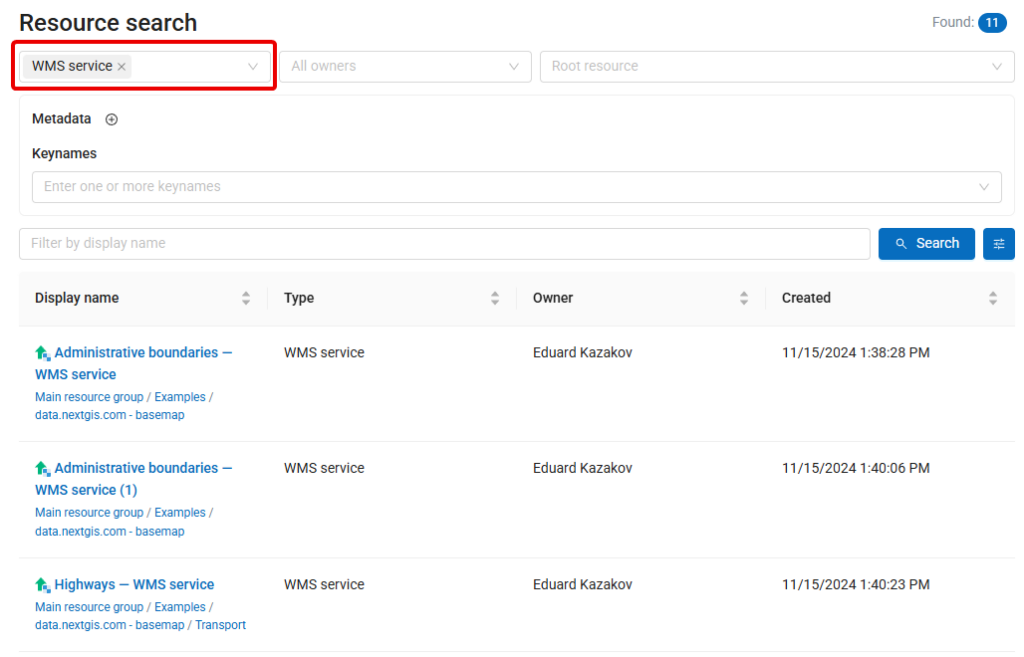
NextGIS Web stores different kinds of resources: vector layers, raster layers, web maps, basemaps, styles, forms, services (WMS/WFS/OGC API,…), and other resource types.
With advanced search, users can filter results by type. For example, you can search only among vector layers, only among web maps, or only among resources relevant to publication.
This is especially useful in large installations where many resources may share similar names but serve different purposes.
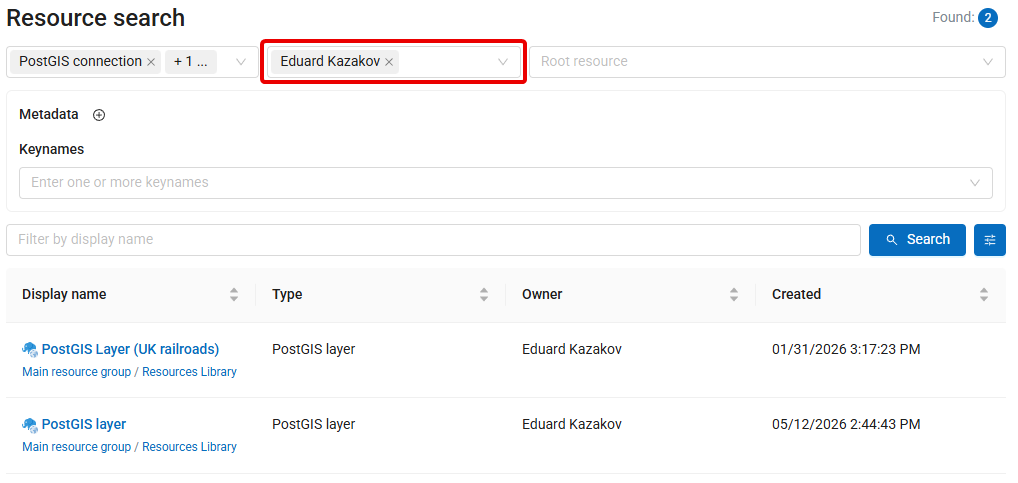
Ownership is another important part of spatial data management.
Filtering resources by owner helps administrators and team leads understand who manages which data, review project resources, or clean up unused materials. It also makes day-to-day work easier for users who need to find resources created by a specific colleague or department.
For organizations using NextGIS Web as a shared spatial data infrastructure platform, owner-based search supports better transparency and maintenance.
The most powerful part of the new advanced search is filtering by metadata key values.
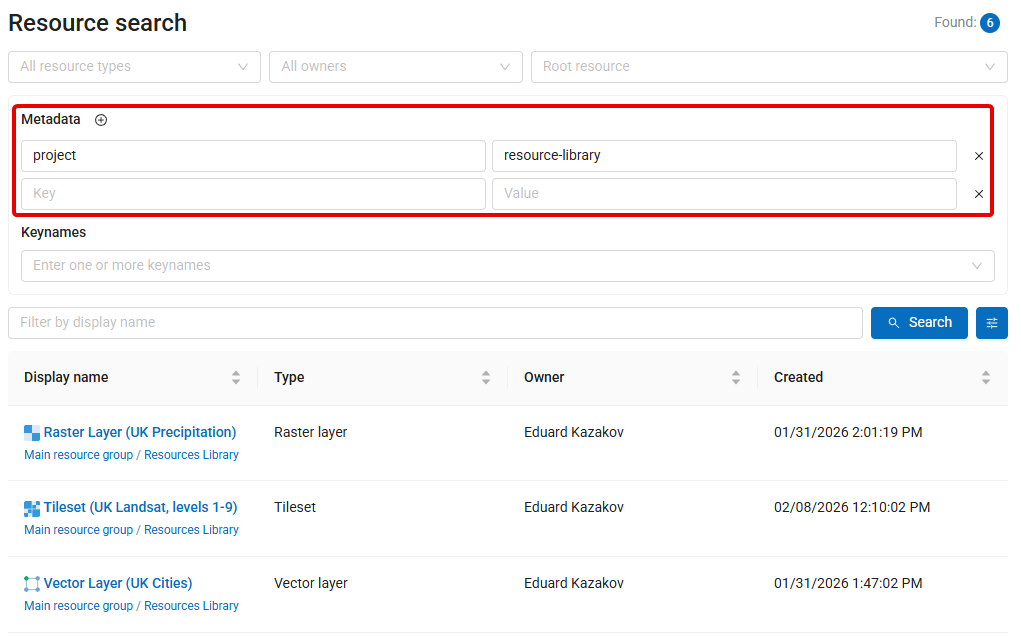
Metadata can describe many aspects of a resource: project name, data source, update frequency, publication status, responsible organization, data quality, license, region, or any other internal classification used by your team.
By searching through metadata, NextGIS Web can work as a more structured catalog. You are not limited to folders and names anymore. Resources can be discovered through the information attached to them.
For example, an organization can mark datasets with metadata such as:
| Metadata key | Example value |
| project | urban-planning-2026 |
| status | authoritative |
| license | internal |
| department | environment |
| update_frequency | monthly |
Later, users can find resources using these values directly.
You can also save any advanced search as a URL.
After applying the required filters, the search parameters remain encoded in the page address, so the same search can be opened later or shared with colleagues as a direct link. This makes it possible to create quick entry points to specific parts of the catalog: for example, all authoritative datasets, all resources related to a certain project, or all layers maintained by a particular team.
Try https://demo.nextgis.com/resource/search?cls=wmsserver_service to see all public WMS services created at demo.nextgis.com
Such links can also be inserted into the resource gallery or documentation pages, helping users navigate directly to relevant, dynamically updated search results instead of browsing the full resource tree manually.
Advanced search makes existing resources easier to find and gives organizations a stronger reason to maintain useful metadata. The more consistently metadata is used, the more powerful the catalog becomes.
This update is now available in all cloud NextGIS Web instances and can be used to explore resources more precisely across your Web GIS.
For teams managing many datasets, projects, and users, advanced search is a practical improvement that makes NextGIS Web a better catalog for spatial data.


