
We have released NextGIS QuickMapServices 1.4.0, a new version of the popular QGIS plugin for fast access to basemaps and other geospatial services.
The release introduces a long-awaited Favourite Services list, improves the search interface, and makes frequently used QuickMapServices functions easier to access.
QuickMapServices provides access to hundreds of geospatial services available in the QMS catalogue. However, finding the same services repeatedly can take time, especially when working with a large catalogue.
In version 1.4, you can now mark any service as a favourite and access it directly from the plugin panel.
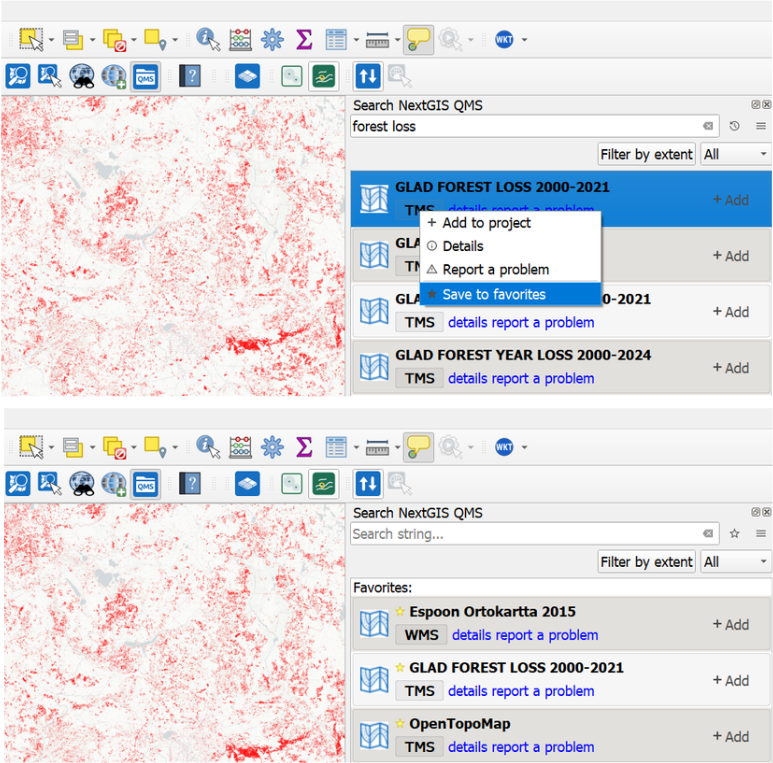
The service list can be switched between two modes:
This makes it easier to build a personal collection of frequently used basemaps, satellite imagery, reference layers, and other web services.
You can also clear the list of recently used services when it is no longer needed.
The search results interface has been redesigned to use the available panel space more efficiently.
The updated layout is more responsive when the QuickMapServices panel is narrow or displayed on a smaller screen. Service information and available actions remain accessible without requiring the panel to occupy a large part of the QGIS interface.
The Contributed Pack menu has been reorganized.
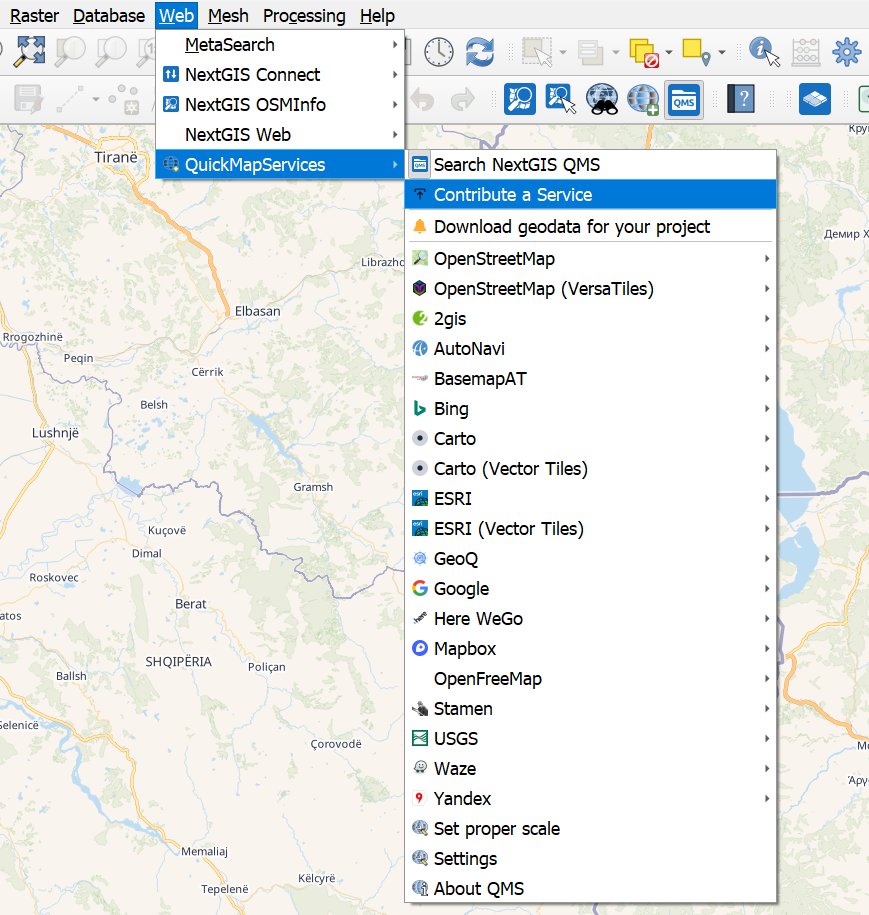
The buttons for opening the search panel and navigating to NextGIS Data are now displayed near the top of the menu, making the plugin’s main discovery tools easier to find.
NextGIS Data provides access to ready-to-use geospatial datasets that can complement the basemaps and web services available through QuickMapServices.
QuickMapServices 1.4 adds translations for five additional languages:
The release includes a fix for cleaning up resources from previous plugin versions during an update. This helps prevent outdated interface and translation files from remaining in the plugin directory after upgrading.
QuickMapServices can be installed or updated directly from the QGIS Plugin Manager:
With almost 12 million downloads, QuickMapServices is the most downloaded QGIS plugin worldwide. It provides a fast and convenient way to add basemaps and other geospatial web services to QGIS projects.
Upgrade to version 1.4 and keep your most frequently used services close at hand.
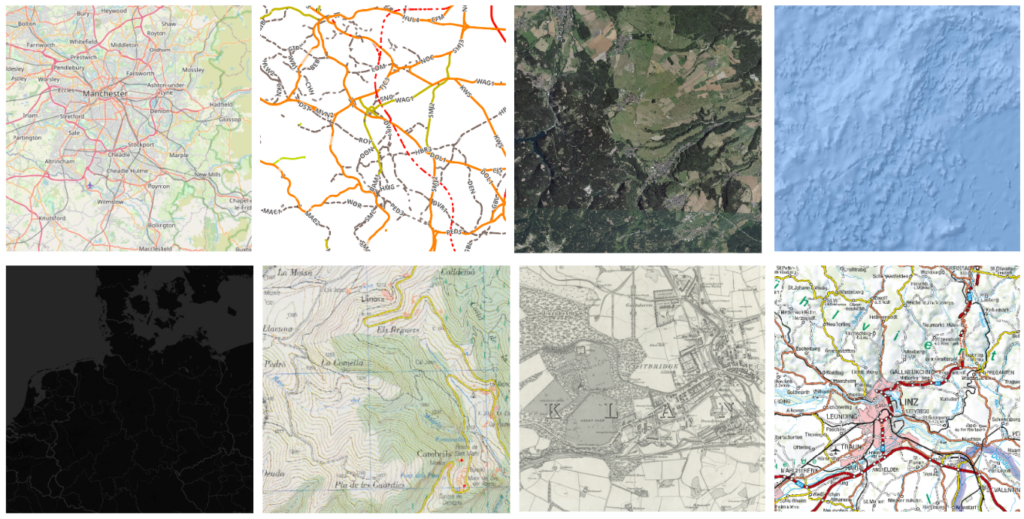
QMS gives you basemaps.
NextGIS Web gives your whole team – desktop, browser, and mobile – a shared place to store, edit, and publish the data that sits on top of it. Built by the same people who created and maintain QMS.


