


NextGIS Mobile for the Outdoors
- Create, collect, and edit spatial data in the field
- Work online and offline
- Sync and use on your Web Maps
Install NextGIS Mobile on Android from Google Play
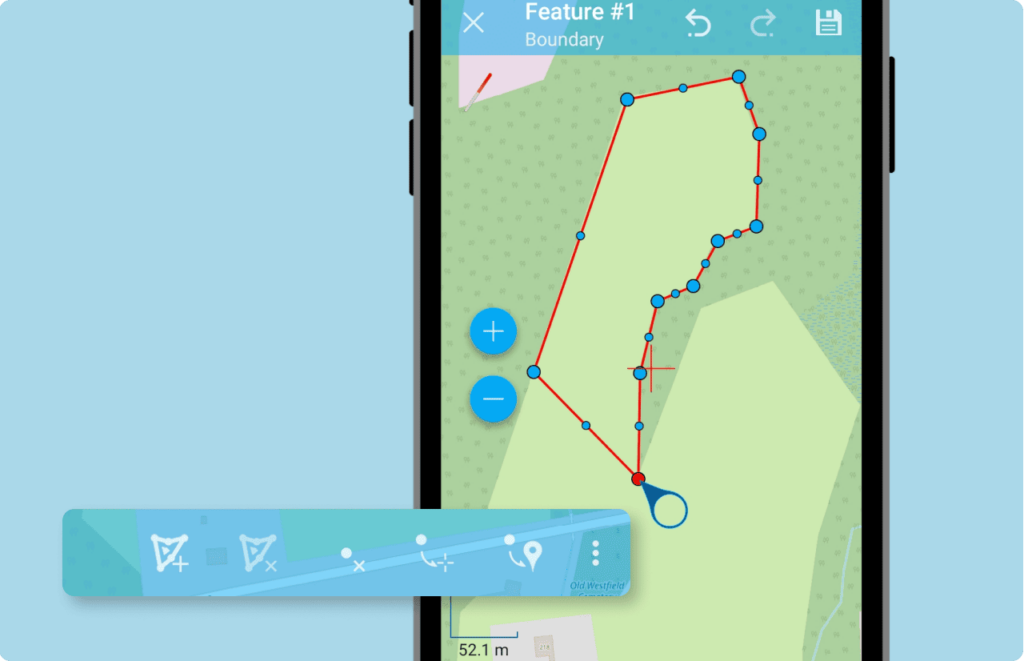
Spatial Data Editor
Add layers from your cloud or on-premise GIS and edit them in the field. You can create new features, modify and delete existing ones, and work with attributes. This makes NextGIS Mobile a convenient replacement for manual data collection in the field.
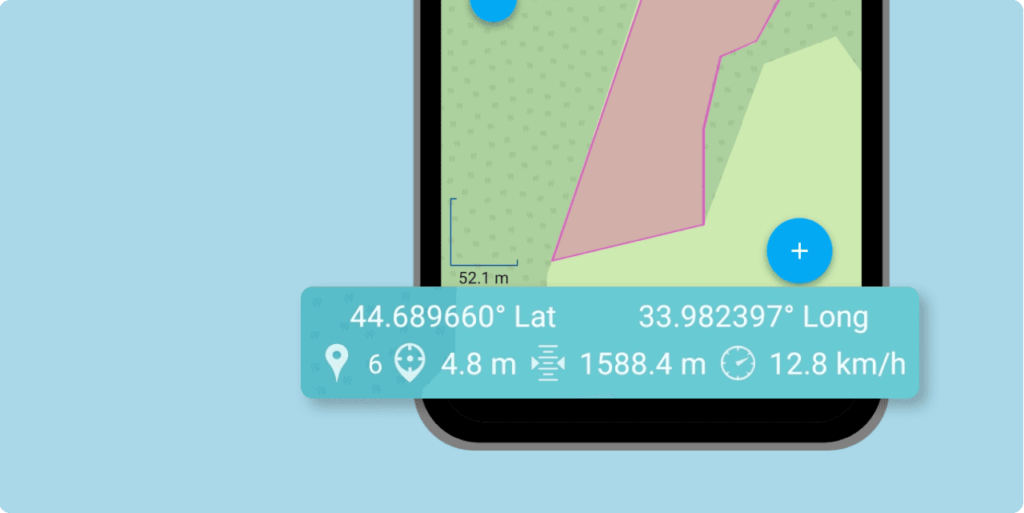
Info Panel: Coordinates, Elevation, Speed
The interface includes a panel displaying your current location, elevation, and movement speed.
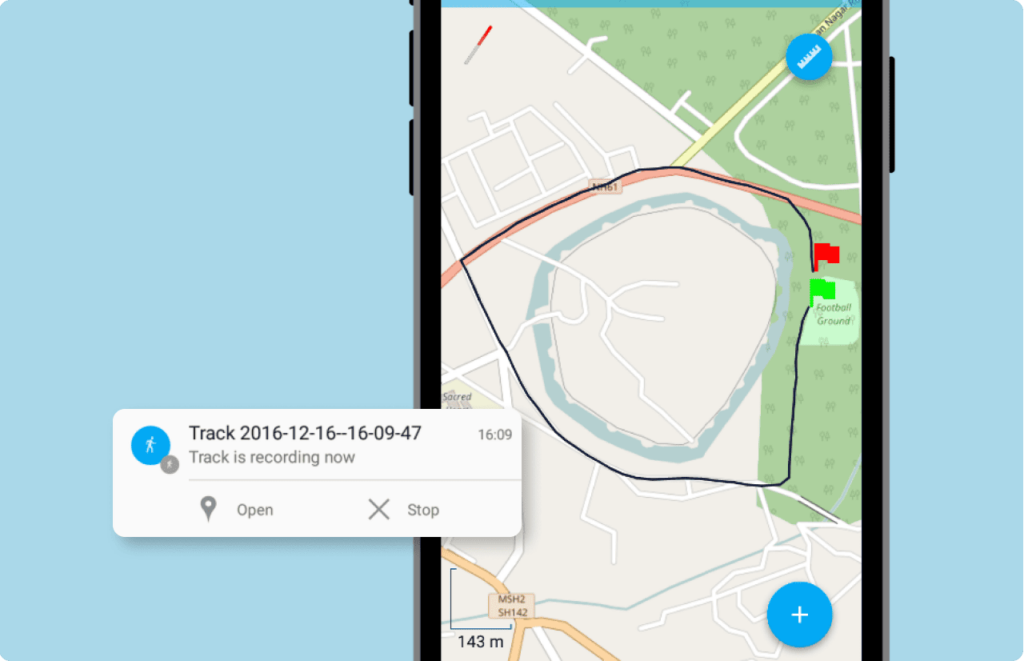
GPS Tracking
The tracking function can be used for two tasks:
Record a route: For each track point, the app saves the date, time, speed, elevation, direction, number of satellites, and HDOP. Recorded tracks can be displayed on Web Maps or exported to GPX.
Create a linear or polygonal feature: You can add a feature to an existing linear or polygonal vector layer by walking around the area.
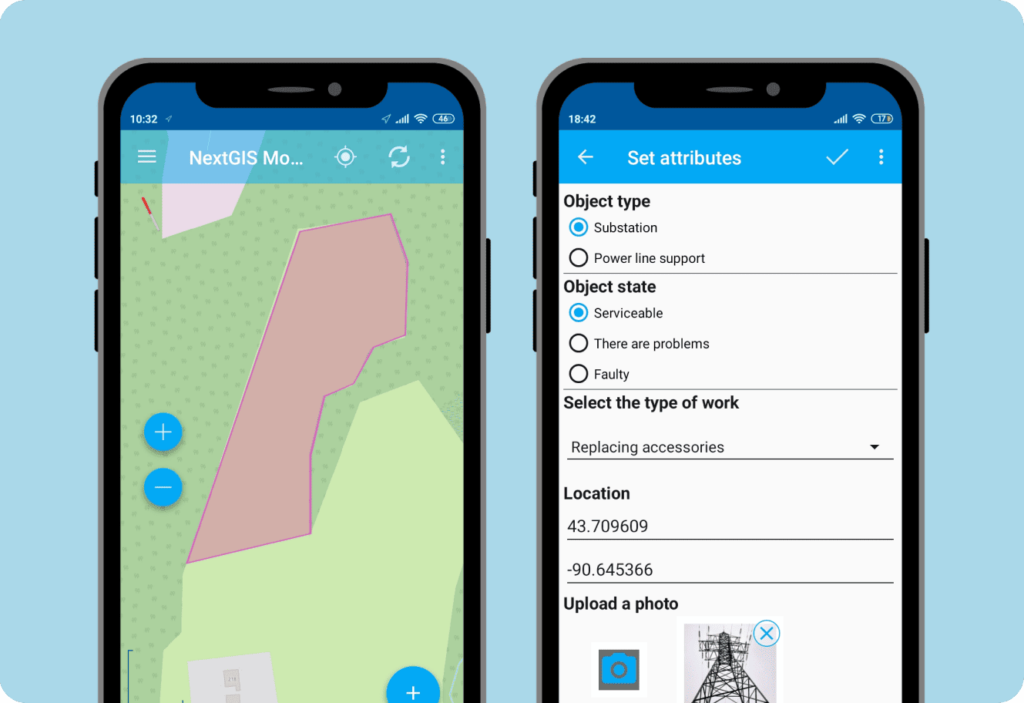
Custom Data Collection Forms
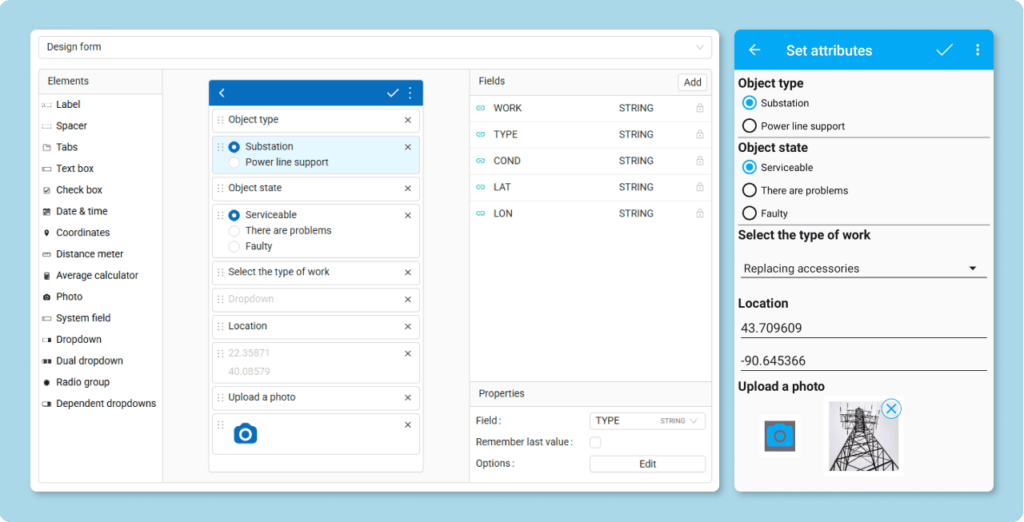
Create custom data collection forms for NextGIS Mobile using the form editor in your Web GIS.
Forms can include radio buttons, dropdown lists, checkboxes, and many other special elements, making data collection convenient and improving data quality. Each element is linked to a specific column in the feature table.
When you add a layer in NextGIS Mobile, the created form is automatically added alongside it.
Online and Offline
The app works in areas with poor or unstable internet connectivity. When the internet is unstable, the app saves the data in the device’s memory, and when the network becomes available, the data is synchronized with your central database – nextgis.com (cloud) or NextGIS Web (on-premise).
Automate Field Data Collection with Mobile GIS!
Available for smartphones and tablets on Android